
The aircraft
Cockpit tour
Every working control in both crew stations, panel by panel.
Every control on this page is clicked with the cockpit cursor (see Controls and bindings). Most can also be bound to a key in AH-64D Official Project: Cockpit Controls or AH-64D HeliSim Cockpit Controls. Hover the cursor over a control to see its name.
These screenshots are from an earlier build. The panels have not moved, but a few labels on them have changed.
Left console
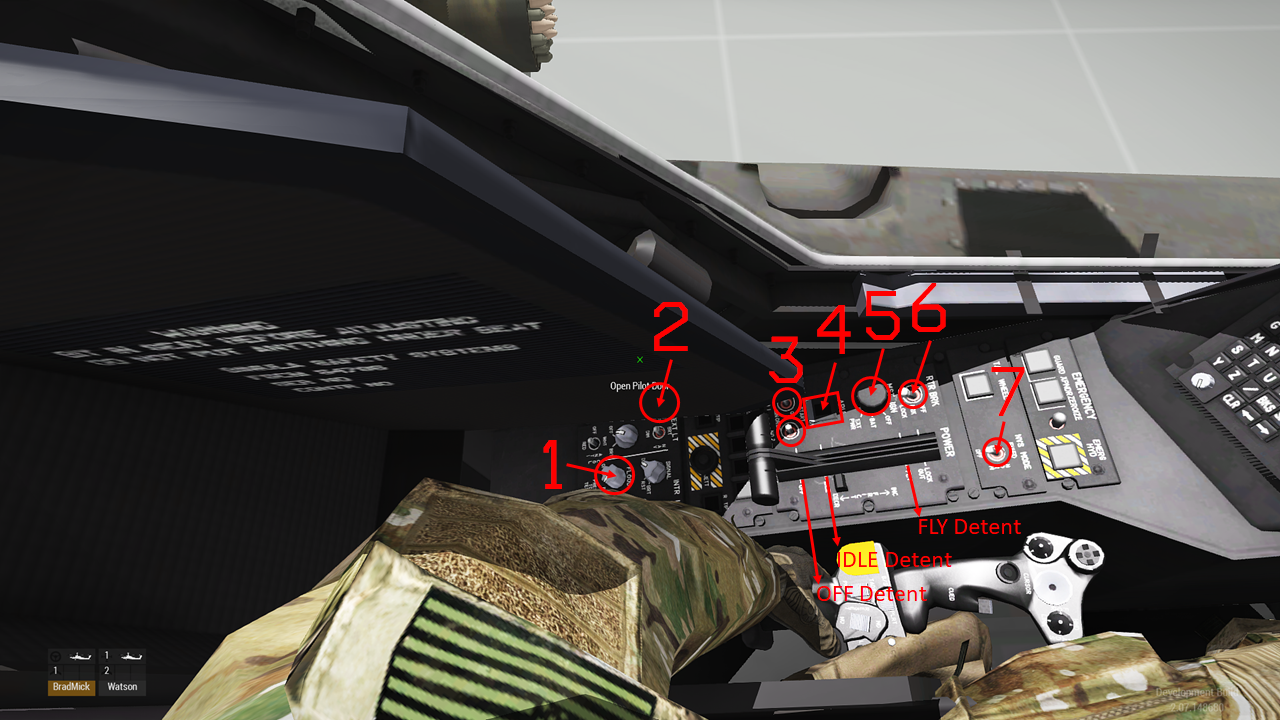
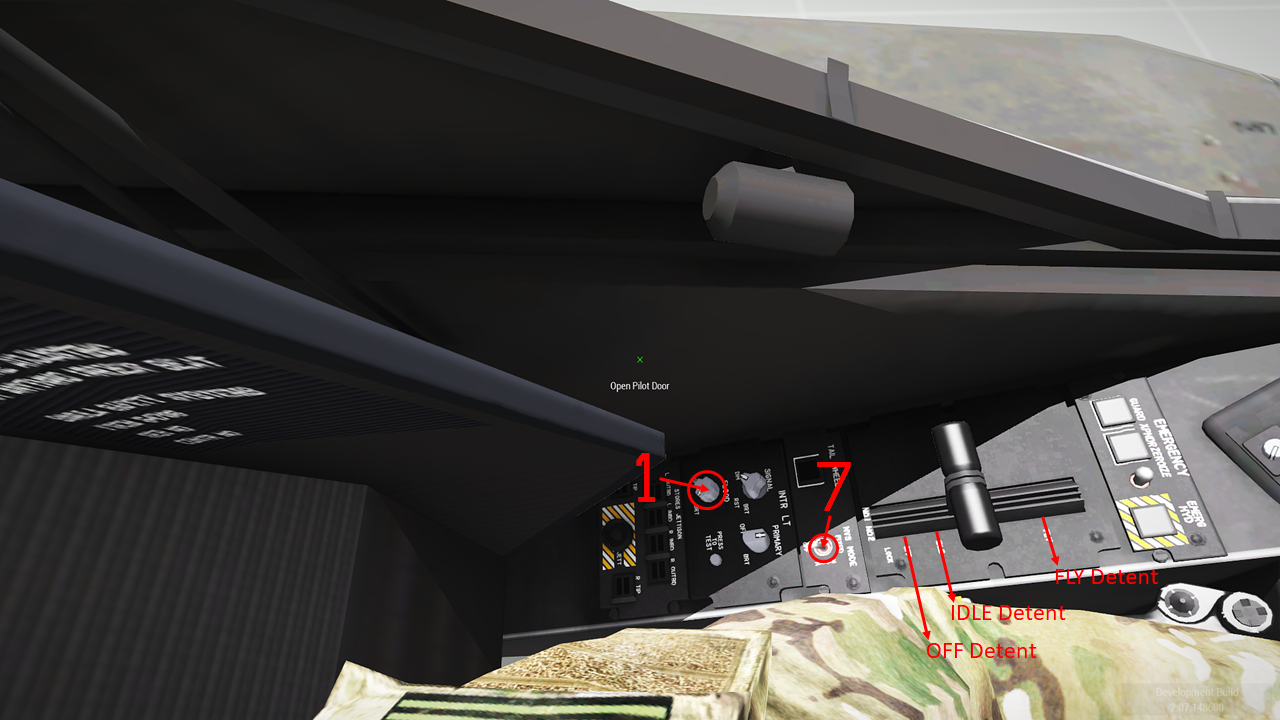
| # | Control | Seat | What it does |
|---|---|---|---|
| 1 | Floodlight knob | Both | Cockpit floodlighting on or off. See Lighting. |
| 2 | Anti-collision light switch | PLT | Red anti-collision strobes, ON or OFF. |
| 3 | ENG 1 and ENG 2 start switches | PLT | START (springs back), OFF, IGN ORIDE (stays). Clicked when the engine is off, it starts it; clicked while it is starting, it aborts the start. See Start-up. |
| 4 | APU pushbutton | PLT | Starts and stops the APU. See Electrical, APU and hydraulics. |
| 5 | MSTR IGN switch | PLT | Battery on or off. |
| 6 | Rotor brake switch | PLT | Steps OFF → BRK → LOCK → OFF. |
| 7 | NVS mode switch | Both | OFF, NORM (the night vision sensor follows your head) or FIXED (it looks straight ahead). See Night vision. |
| Power levers | PLT | One per engine, with OFF, IDLE and FLY detents. Click the detent you want and the lever moves there. With both engines at idle, moving either lever to FLY takes both. | |
| EMER HYD | Both | On the yellow-and-black emergency panel next to the power levers. Puts the hydraulic accumulator’s pressure on the flight controls. See Electrical, APU and hydraulics. |
Front panel
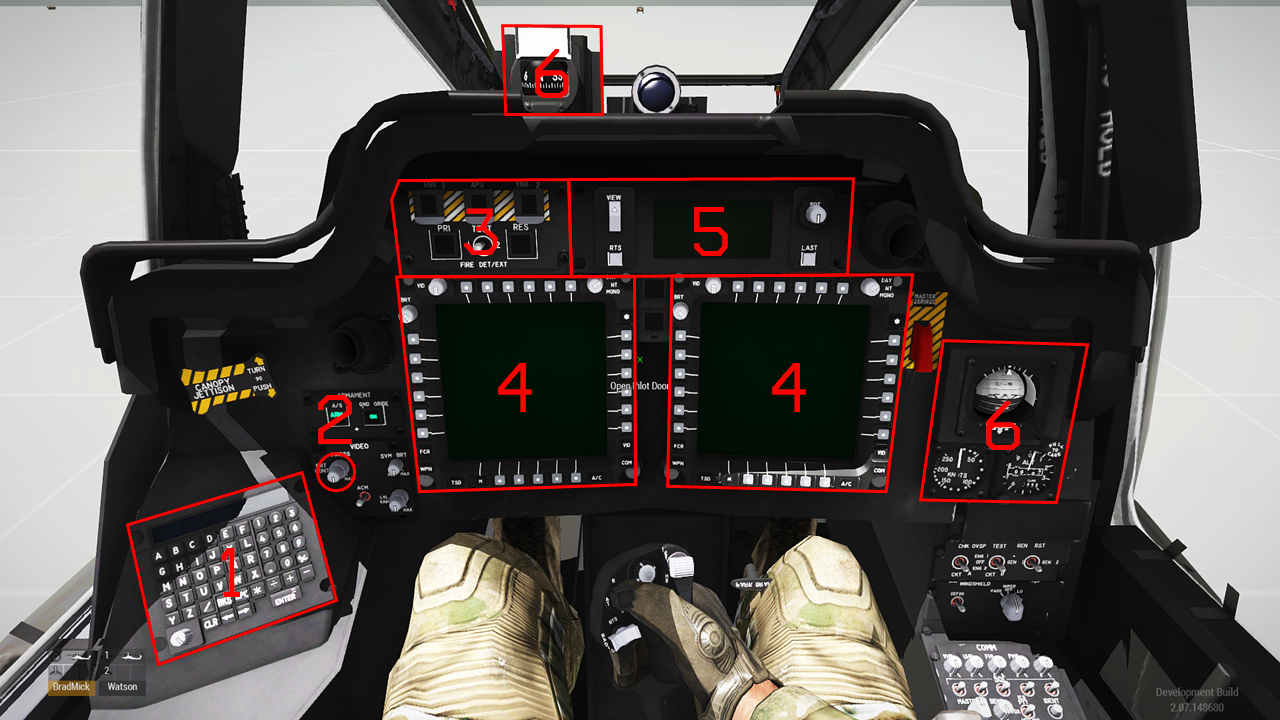
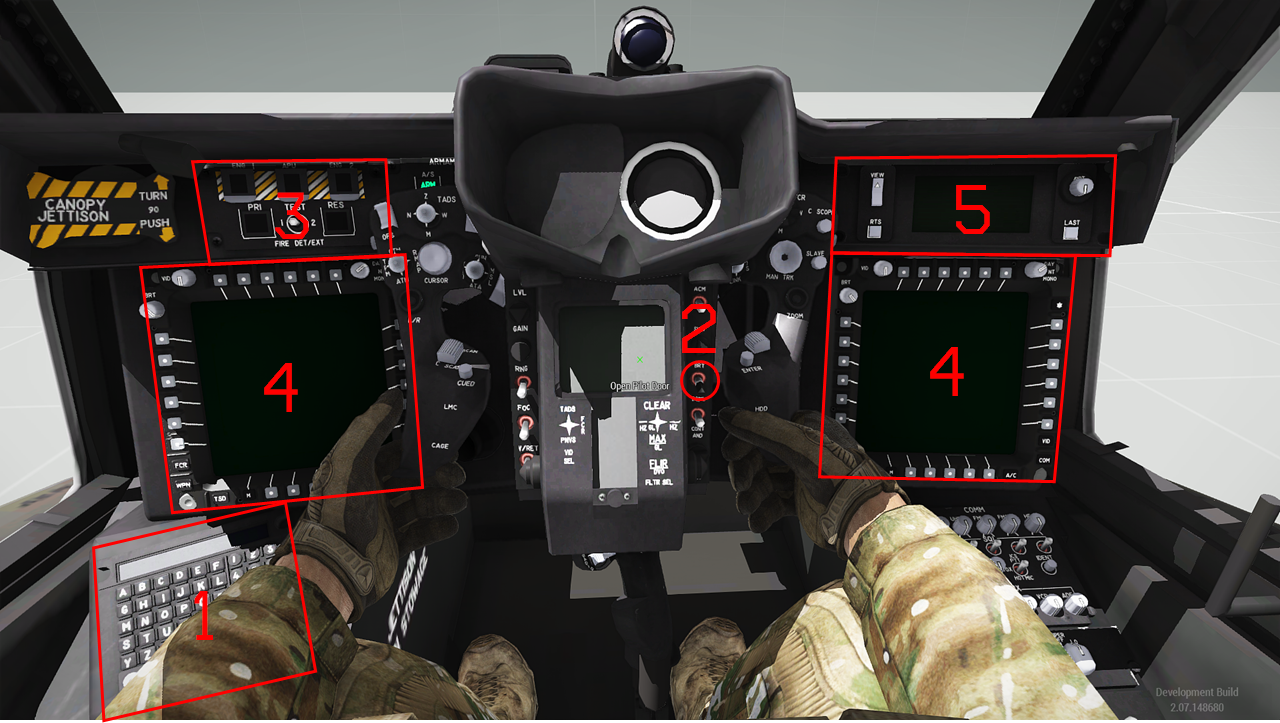
| # | Control | Seat | What it does |
|---|---|---|---|
| 1 | Keyboard unit (KU) | Both | Click it to type into the aircraft with your keyboard; click again to stop. See Keyboard unit. |
| 2 | IHADSS brightness | Both | Not used. The helmet display comes on with power once the HDU is fitted. |
| 3 | Fire detection and extinguishing panel | Both | Fire warning lights, the ENG 1, APU and ENG 2 fire handles, the PRI and RES extinguisher bottles and the TEST switch. See Fire protection. |
| 4 | Multipurpose displays | Both | Two per seat. See Using the MPDs. |
| 5 | Up-front display (UFD) | Both | Warnings, cautions, advisories, fuel and the clock. See UFD. |
| 6 | Standby instruments | PLT | Magnetic compass, attitude indicator, airspeed and altimeter. |
On the glareshield and the armament panel in each seat:
| Control | What it does |
|---|---|
| MASTER WARNING | Lights with any new warning. Press to acknowledge and silence the voice message. |
| MASTER CAUTION | Lights with any new caution. Press to acknowledge and silence the tone. |
| A/S (ARM/SAFE) | Arms or safes the weapons for the whole aircraft. Needs battery power, and on the ground also GND ORIDE. |
| GND ORIDE | Ground override: lets weapons be armed, actioned and fired, and the radar transmit, while on the ground. |
Right console
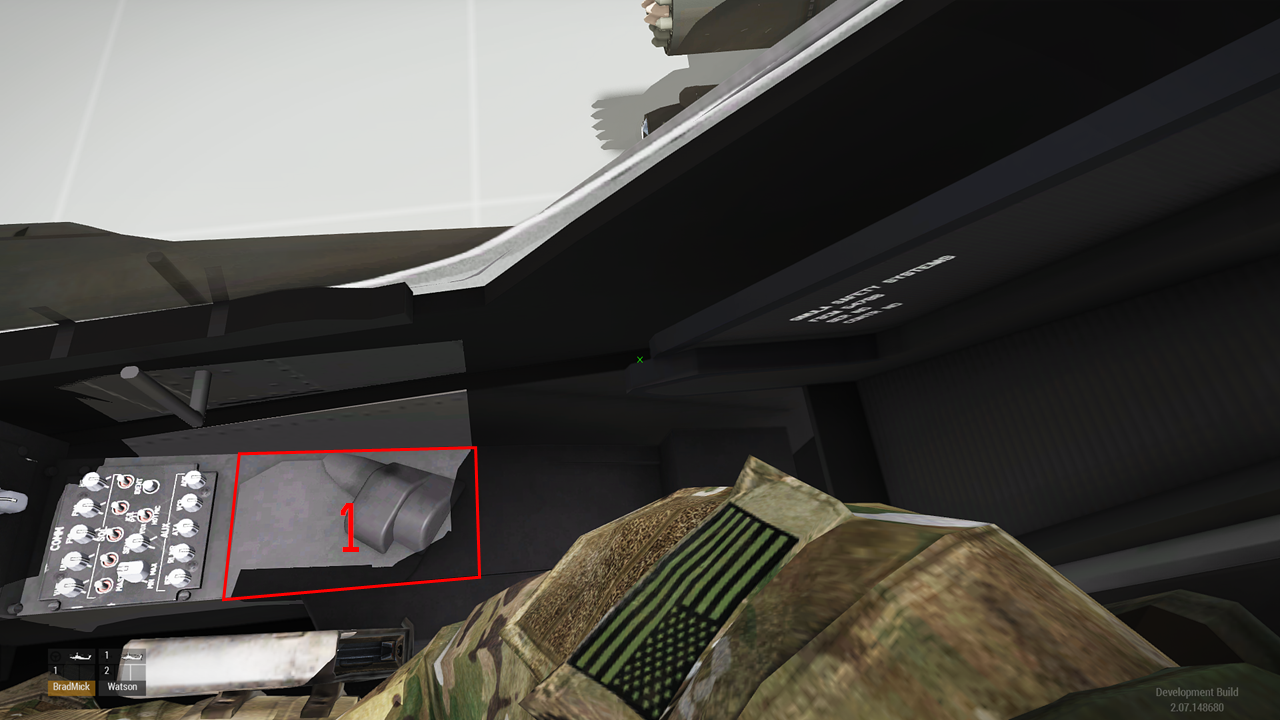
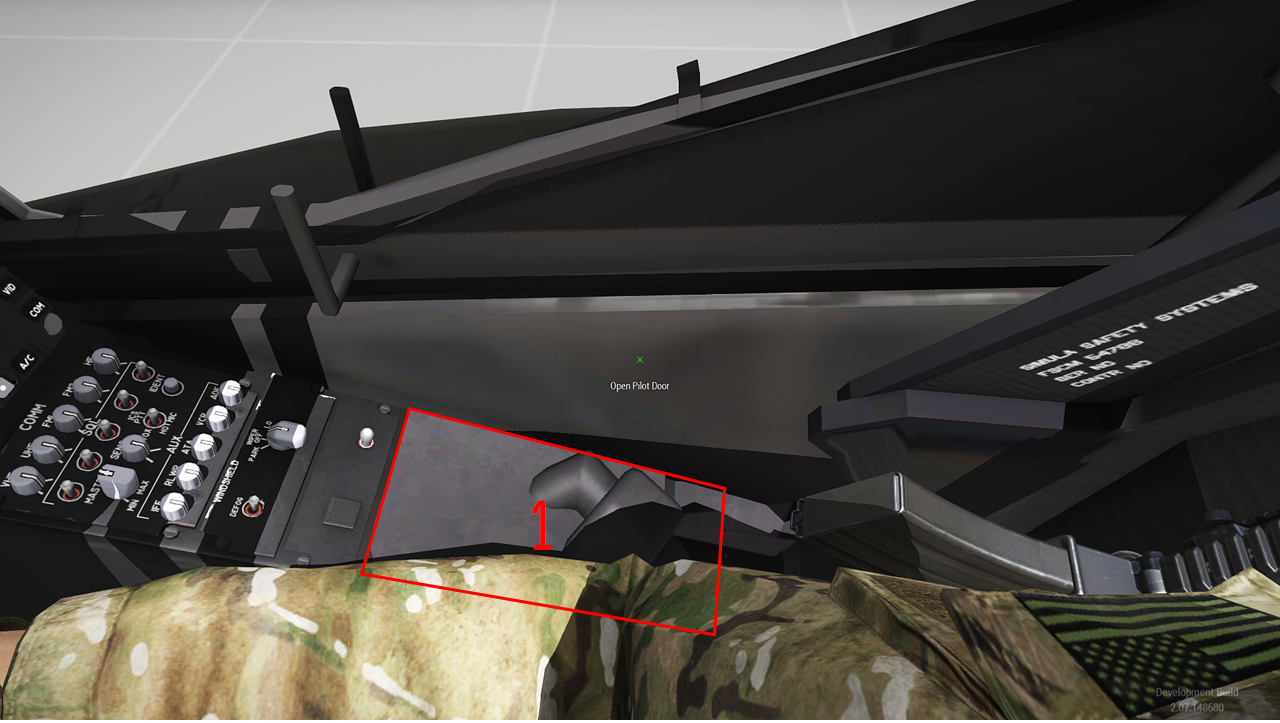
| # | Control | Seat | What it does |
|---|---|---|---|
| 1 | HDU stowage | Both | Click to fit the helmet display unit to your helmet, or to stow it. You must be wearing the IHADSS helmet. See IHADSS. |
Canopy
Click the door handle on the inside of the canopy to open or close your door. From outside, use the ACE interactions Open/Close Pilot Door and Open/Close Gunner Door. An open door shows the CANOPY advisory.