
The aircraft
Variants and customisation
One airframe, configured several ways. Radar or no radar, US or British mission equipment, a fuel tank or a bigger magazine, and the livery, tail number and weapons on the pylons.
The mod adds one aircraft, the AH-64D BLOCK I, under BLUFOR → AH-64D Official Project → Helicopters. It seats a pilot (rear seat) and a copilot/gunner (front seat), plus two passengers. Everything else is a choice you make in the editor, in the field or in the mission planner.
Configuration options
| Option | Default | What it changes |
|---|---|---|
| Fire control radar | Not fitted | The Longbow radar dome on the mast. Without it there is no FCR sight, FCR page or radar-guided Hellfire targeting. It adds weight. |
| Mission equipment | US | US: an IR jammer, and chaff. British: flares, a missile warning system, and chaff; no IR jammer. See Survivability. |
| IAFS or 1,200-round magazine | IAFS | The internal auxiliary fuel system puts a 663 lb fuel cell in the ammunition bay and leaves room for 300 cannon rounds. Swapped out, the bay takes a 1,200-round magazine and no extra fuel. |
| Livery | Default | Fifteen schemes, below. |
| Tail number | None | Up to five digits on the tail. |
| Pylons | Rockets outboard, Hellfires inboard | What each of the four wing stations carries. See Rearm and refuel. |
In the editor
Appearance
Right-click the aircraft and choose Edit Vehicle Appearance.
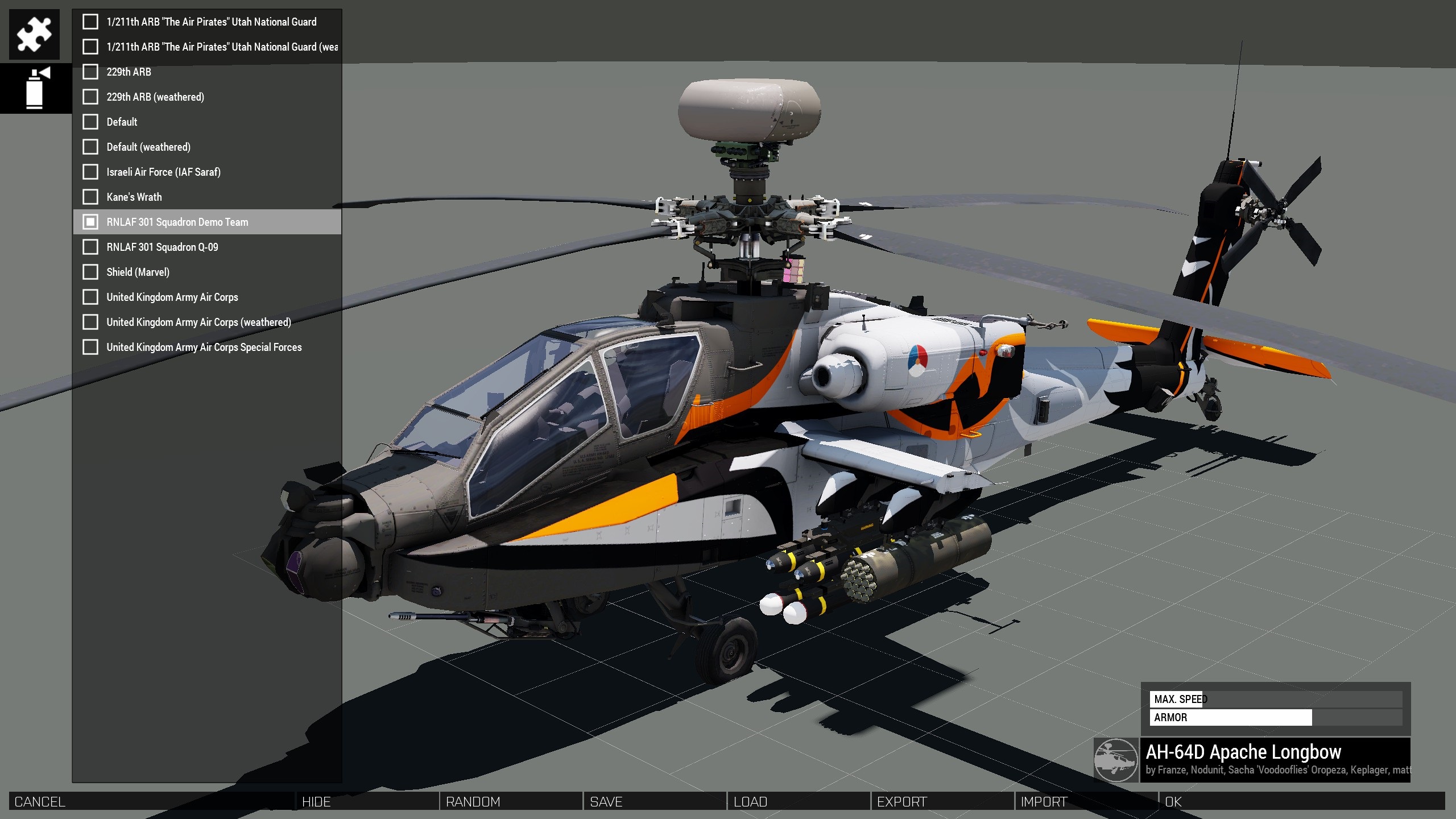
- Components: Mount FCR (Fire Control Radar), Mount British Mission Equipment and Swap IAFS for 1200rnd magazine. Ticking British equipment also fits the radar.
- Liveries: Default, Default Weathered, 229th ARB (and weathered), 1/211th ARB “The Air Pirates” Utah National Guard (and weathered), United Kingdom Army Air Corps (and weathered), United Kingdom Army Air Corps Special Forces, RNLAF 301 Squadron Q-09, RNLAF 301 Squadron Demo Team, Indian Air Force, Israeli Air Force (IAF Saraf), Shield (Marvel) and Kane’s Wrath.
Attributes
Double-click the aircraft to open its attributes.
| Attribute | What it does |
|---|---|
| Tail number | Up to five digits, painted on the tail. Put a space where you want a position left blank. Anything other than 0–9 is left blank. |
| Loadout Config | A complete loadout as JSON (radar, IAFS, fuel and pylons), applied when the mission starts. Leave it empty unless you have one. |
| Pylons | Arma’s own pylon editor, with the presets Combat Support, Combat Support (FCR), Heavy Attack, Heavy Attack (FCR), COIN and Empty. |
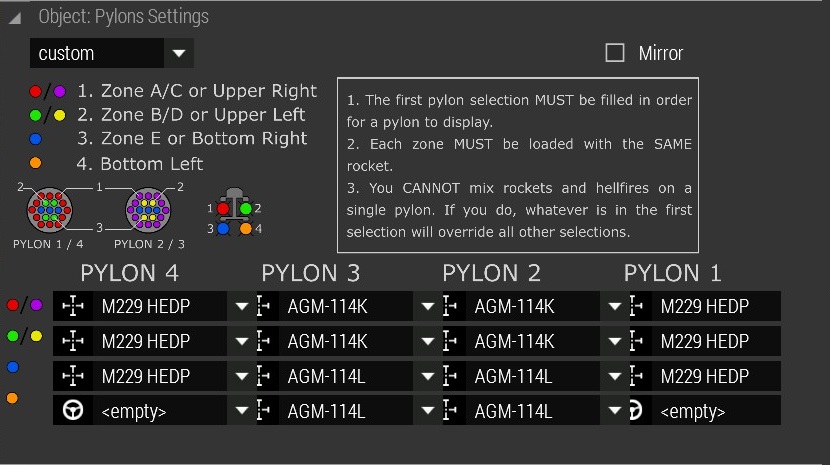
Each wing station has four slots. Fill them in order: a station is drawn from its first slot, every rocket zone on a station must hold the same rocket, and a station cannot mix rockets and Hellfires.
In the field
With ACE, ground crew can change the aircraft between sorties. Each job needs a Toolkit in the player’s inventory and the part within 10 m, and takes five minutes.
| ACE action | Needs | Result |
|---|---|---|
| Attach Fire Control Radar | An AH-64 Fire Control Radar crate nearby | The radar is fitted and the crate is used up. |
| Detach Fire Control Radar | The radar comes off as a crate, which you pick up and carry. | |
| Attach 1200 30mm Magazine | An AH-64 1200 Magazine crate nearby | The IAFS comes out (you are left carrying it) and the cannon gets 1,200 rounds. |
| Attach Internal Auxiliary Fuel System | An AH-64 IAFS crate nearby | The magazine comes out and the IAFS goes back in, with 300 rounds. |
The crates are in the editor under Props → AH-64 Parts. They can be dragged, carried, and loaded into vehicles as ACE cargo.
Set Tail Numbers, at the tail, changes the five digits one at a time. Open/Close Pilot Door and Open/Close Gunner Door work the canopy from outside.
The mission planner changes the radar, mission equipment, IAFS, fuel, pylons and tail number from one screen, and shows you the weight and performance before you commit. Use it for anything more than a quick swap.